
Sim RaceCenter Director
Your race, broadcast automatically.
Director produces live YouTube coverage of your sim races. It reads race events from every Rig, decides what to show, aims the simulator camera, runs replays, switches OBS scenes, and keeps the broadcast running while you drive.
How it works
From the car to the stream: Rigs report, Director decides, the simulator and OBS execute.
Read the full walkthrough →01 · Rigs
Rigs report the race
Each driving Rig runs the open-source Sim RaceCenter launcher in Publisher role. It reads iRacing locally and sends race events to Director over authenticated HTTPS: battles, overtakes, incidents, pit stops, flags and driver button presses.
02 · Director
Director decides, every cycle
A deterministic core on the broadcast host scores what is happening on track and picks a shot pack: a versioned recipe of camera, scene and dwell steps. The same race always produces the same cut list.
03 · Execute
The simulator and OBS execute
A spectator iRacing session runs the simulator MCP server, which gives Director camera and replay control. Director switches OBS scenes and treats a command as done only once the simulator or OBS confirms it.
04 · Broadcast
Graphics and the stream
Director serves lower thirds, webcam frames and other graphics to OBS as browser sources, driven by the same events as the cuts. OBS composites the program feed and streams it to YouTube.
Driving Rigs
iRacing + launcher · Publisher role
Camera host
spectator iRacing + simulator MCP server
Director
Electron app · deterministic core
OBS Studio
scenes · graphics · recording
YouTube
live stream + chat
Broadcast output
What viewers see
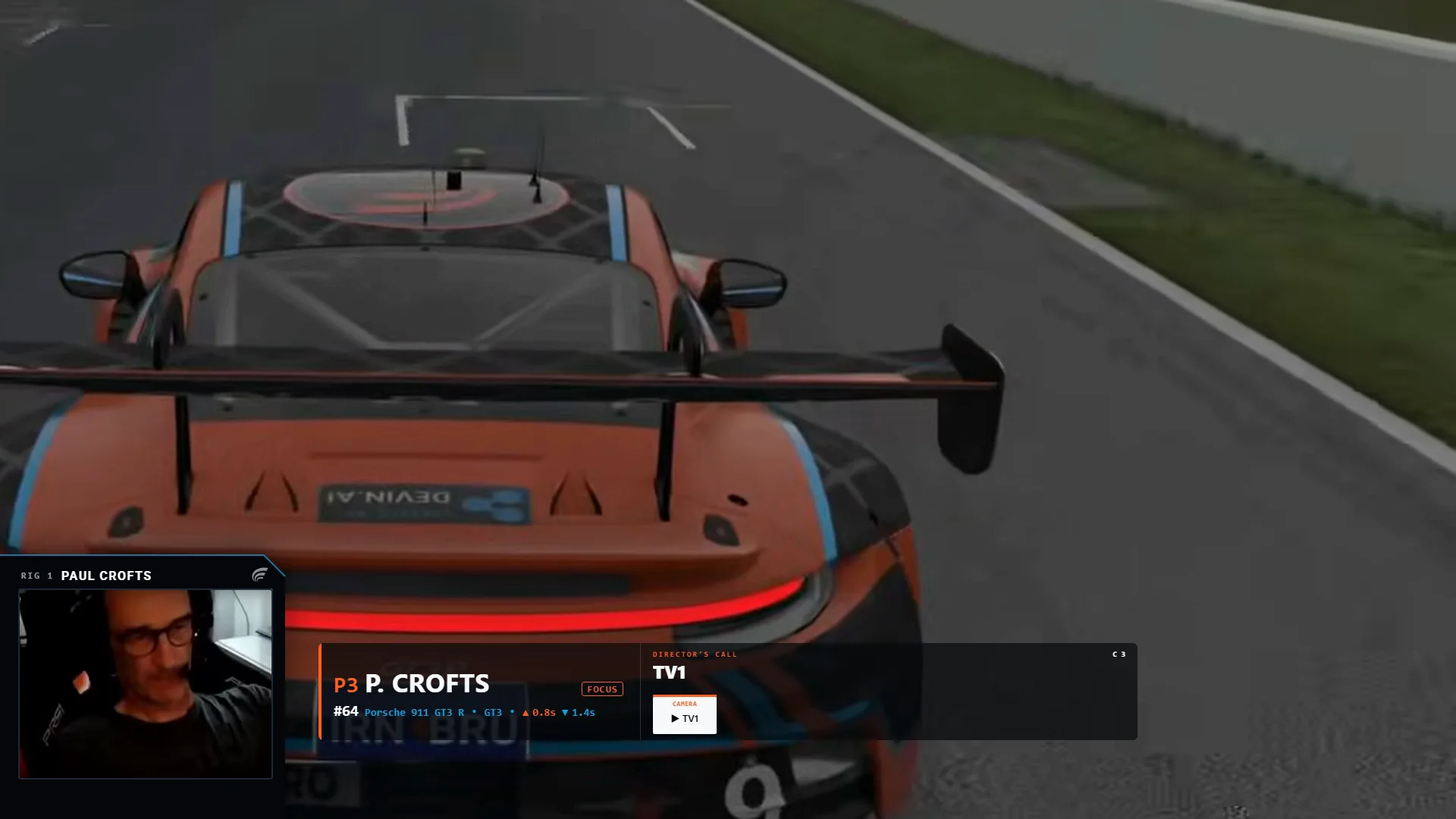
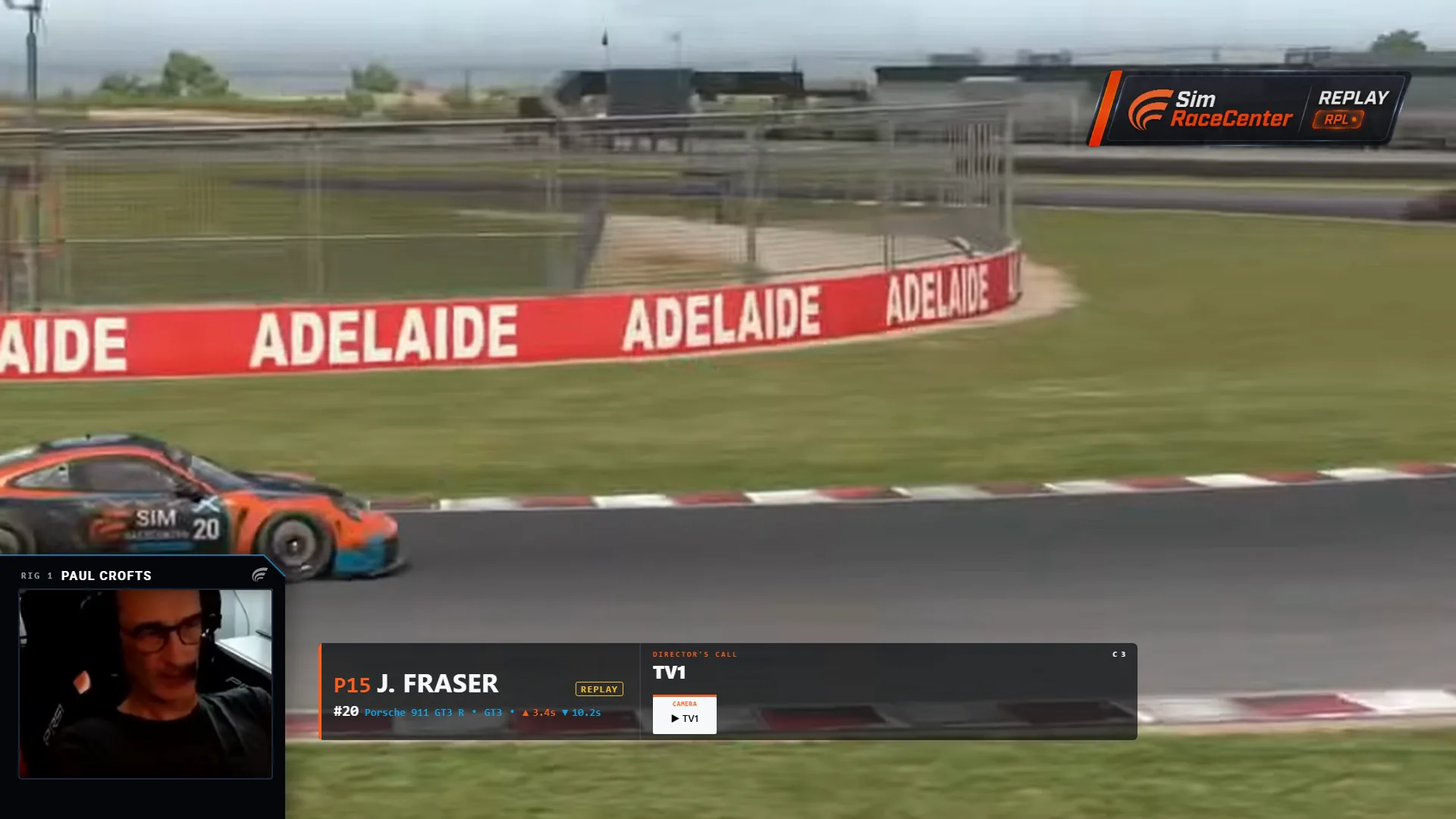
Graphics rendered by Director, composited over race footage and a driver webcam from a Sim RaceCenter broadcast.
The Director Console
A broadcast producer that never looks away from the track.
Shot packs
Race start, battles for position, overtakes, traffic trains, pit windows, incidents, cautions, restarts and leader gaps, plus practice and qualifying packs. Each one is a versioned recipe of camera, scene and dwell steps.
Replays & highlight reel
Incidents are queued as replay candidates, aired behind an onboard cover shot, so viewers never see the replay seek. After the checkered flag Director plays a highlight reel of up to ten clips.
Focus drivers
Pick the drivers your audience came for. A focus-weight control sets how strongly the broadcast follows them and how much it covers the rest of the field.
Overlay graphics
Lower thirds, webcam frames, a standings ticker, a qualifying tower, battle and gap cards and chat answer cards, served to OBS as browser sources and driven by the same events as the cuts.
Preflight & ALL STOP
Preflight checks OBS, comms and the simulator connection before a run. ALL STOP halts the run, stops every Rig publisher and silences speech in one action. Safe scene is a separate one-press command.
Evidence after every run
Every cut, its reason and its origin (operator, deterministic core or agent) is logged and exported as an evidence bundle, so you can check what aired against what was intended.
AI assistance (optional)
An in-app agent helps with setup and explains decisions. Every change it proposes follows plan, confirm, apply, verify. The deterministic core makes every cut, with or without AI.
Local first
Director is a Windows desktop app on your own hardware. No Sim RaceCenter account, login or cloud backend. Optional YouTube chat, Discord voice and AI features use your own credentials.
Open source
The MCP servers behind every broadcast.
At Sim RaceCenter, Director reads standings, incidents and battles through our open-source simulator MCP servers, then uses the same tools to point iRacing's cameras and run replays. They are written in Rust, licensed GPL-3.0, and speak the Model Context Protocol, so your own AI assistant can use them too.
Connect them to Claude, ChatGPT or another MCP client, ask who is fighting for P3 or to replay the last incident, then tell us what you tried in the chat of our next live stream. We want to hear from you.
# on the Rig, next to iRacingsimracecenter-launcher.exe# from any MCP client on the LANPOST http://<rig-ip>:8765/mcptools/call get_standingstools/call camera_focustools/call replay_show_window
Dev blog
Built in the open.
Steward George: an agent that runs the channel and changes nothing without approval
Steward is the Sim RaceCenter agent for the @SimRaceCenter YouTube channel. It reads, plans and proposes; the owner approves every public change. Here is how it is built and what we are building with it.
From UV atlas to showroom: how we built the Jax Halloween Mustang GT3 livery
How Devin, the AI software engineer by Cognition, designed the Sim RaceCenter Ford Mustang GT3 'Jax Halloween Special' for iRacing: calibrating the UV template, orbiting the 3D showroom to verify every panel, and preparing the paint for Trading Paints.
Director v3: the broadcast moved onto your own hardware
Why we rebuilt the Sim RaceCenter Director as a local Electron app with a deterministic core and MCP at every seam, and what happened to the Race Control cloud.

Orchestrate the Chaos.
See what a Director-produced broadcast looks like, start to finish.
Watch on YouTube